
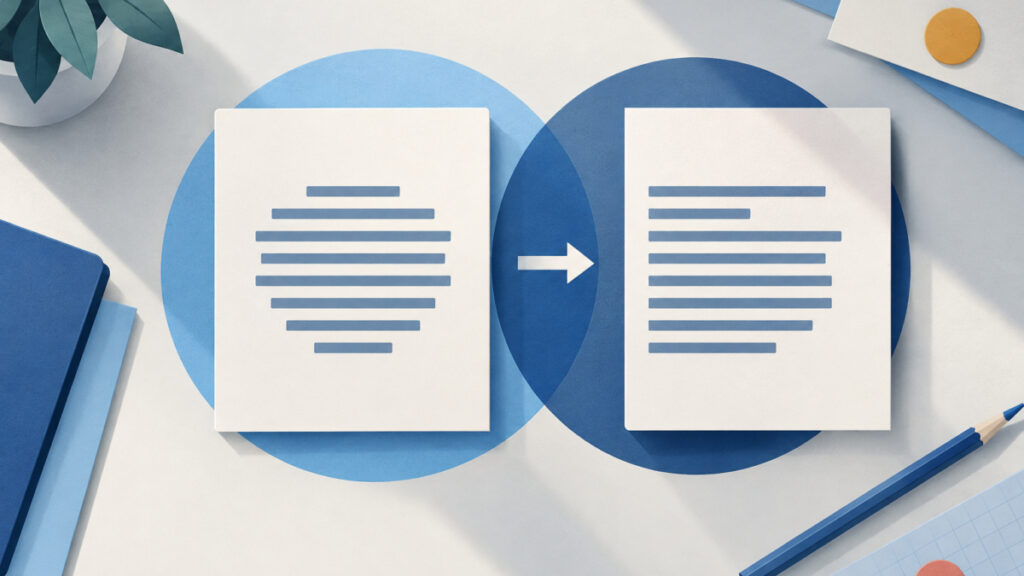
A centered paragraph turns left-aligned in an email because the exported HTML can contain only class="ql-align-center", and a class name centers nothing until a matching CSS rule exists. This is the usual cause of ql-align-center not working in email HTML. The input is the markup you get from Copy HTML in the WYSIWYG HTML Editor, and the output you want is a paragraph that declares text-align: center on the element itself. I will show the failing paragraph, a revised version, how to prepare it in the separate HTML Code Editor, and how to check the message that is actually delivered.
I cannot promise that any formatting survives every email workflow. What I can show is how to remove one avoidable dependency and then test the result where it matters.
Table of Contents
Why ql-align-center Not Working in Email HTML Happens
Here is a minimal, fictitious paragraph of the kind the editor’s Copy HTML example shows for centered text:
<p class="ql-align-center">Centered text</p>
The markup says the paragraph belongs to a class. It does not say what the class does. In the visual editor the text looks centered because the editor page loads the CSS that defines that class. The homepage is a Quill rich-text editor, and Quill needs its stylesheet for alignment, indentation and font classes to have any visual effect.
When you copy only the HTML, you copy the label but not the stylesheet. If the destination has no rule for ql-align-center, the paragraph uses the default alignment, which is left-aligned for left-to-right text. Nothing is broken in the export. The paragraph is simply missing the rule it points at.
That is also why the symptom is specific. Text, bold, links and line breaks arrive intact, and only the formatting that lives in a missing rule seems to vanish. Other Quill classes, such as those for indentation or fonts, depend on the same stylesheet, so check the export for any ql- class before you assume alignment is the only gap.

Class-Based Alignment Versus the Inline Color Style in the Export
The same export example contains a useful contrast. A red word in it carries an inline declaration, style="color: rgb(230, 0, 0);", while the centered paragraph carries only a class. Here is a fictitious paragraph that combines both:
<p class="ql-align-center">Sale ends <span style="color: rgb(230, 0, 0);">Friday</span></p>
In an email, the word Friday can stay red even though the paragraph is left-aligned. The color declaration travels with the element. The alignment instruction points at a rule that lives somewhere else. The two pieces of formatting are exported in different shapes, so they can behave differently in the same message.
This is a difference in dependency, not a ranking of quality. Inline styles make this particular example less reliant on a separate rule, but they are not a universal rendering guarantee. A related paste problem, where formatting depends on something outside the copied markup, is covered in the guide on why a Quill code block loses formatting in a CMS paste, which is worth reading if your content also includes code blocks.
The practical takeaway is to treat every ql- class in the export as a question: what rule defines this, and will it exist at the destination?

Declare text-align on the Paragraph Itself
The destination-oriented revision puts the alignment on the element that needs it:
<p style="text-align: center;">Centered text</p>
The MDN text-align reference, last modified July 21, 2026, describes the property as aligning the inline content of a block. That wording matters. text-align: center centers the text and other inline content inside the paragraph. It does not move or shrink the paragraph box. A paragraph that spans the full width of its container still spans that width, with the words centered inside it.
You can keep the original class on the element as well. It does no harm, and it may still help if the destination does define a matching rule:
<p class="ql-align-center" style="text-align: center;">Centered text</p>
If your email workflow accepts a style block, another option is to supply the missing rule yourself:
<style>
  .ql-align-center { text-align: center; }
</style>
Do not assume email clients universally reject classes or style blocks. Google’s Gmail CSS support documentation, last updated September 15, 2026, lists class selectors and text-align as supported. So the precise failure is narrower than “classes do not work in email”. It is that the rule for ql-align-center is absent, removed, overridden or otherwise ineffective in the delivered message. The inline declaration reduces that dependency for this example, but you still need to confirm the outcome.
Inspect and Prepare the Fix With Copy HTML and the HTML Code Editor
Here is the workflow I would use to find and fix the affected paragraph. It uses two separate pages, and edits in one do not change the other.
- In the visual editor, build your content and use Copy HTML to put the markup on your clipboard.
- Open the HTML Code Editor and paste the markup into it. It offers syntax highlighting, auto-closing tags, a sandboxed live preview, and beautify or minify. Beautify is handy for reading a long export, because it puts each block on its own line.
- Find the paragraph and the
ql-align-centerclass. Search forql-to catch other class-based formatting too. - Add
style="text-align: center;"to that same<p>element. Repeat for every affected paragraph or heading. - Check the live preview. It shows how the markup renders in a sandboxed frame, which confirms the paragraph is centered by its own style.
- Copy the revised markup from the editor for your email workflow.
Be clear about what this does not prove. The HTML Code Editor has no validator, so it will not tell you whether the markup is correct for email. Its preview is a browser rendering, not an email client. The visual editor’s own preview is plain text, so it is not an email preview either. Edits you make in the code editor also do not flow back into the visual editor’s export. Treat the revised copy as a separate artifact that you keep alongside the original.
Get the Revised HTML Into the Email and Test the Delivered Message
The revised HTML only helps if the email workflow treats it as HTML. Supply it through a feature that accepts HTML source, such as a source or code view in your email creation tool. If you paste source code into a normal compose field, the field may keep the angle brackets as literal text, and the recipient sees markup instead of formatting. For the wider drafting and export side of this, see the guide on how to draft, save and export HTML email markup safely.
After the message is built, send a test email to yourself and open it in the clients your readers use. Three contexts are involved, and each one answers a different question:
| Context | What it tells you |
|---|---|
| Visual editor | How the content looks with the editor’s own CSS loaded |
| HTML Code Editor preview | How the revised markup renders in a sandboxed browser frame |
| Received email | How the recipient’s client renders the delivered HTML |
Only the last row represents what your readers see. A centered preview in the first two does not guarantee a centered message. If your email tool lets you view the delivered or original message source, check that the style attribute is still on the paragraph. If it is gone, something between your source and the inbox removed it, and you need to look at that step instead of the editor.
Diagnosing ql-align-center Not Working in Email HTML After an Edit
If the text is still left-aligned after you add the inline declaration, work through these checks in order:
- The style was removed in transit. Compare the delivered source with the markup you supplied. A missing
styleattribute points at the email workflow, not at your HTML. - The declaration is on the wrong element. Alignment on a wrapper does not help if a child element sets its own alignment, and alignment on a span does not center a whole paragraph. Put it on the block, as in the example above.
- Another declaration wins. A competing rule can override yours. The explanation of how specificity decides a conflict between matching declarations applies to any stylesheet, including one you cannot see in the inbox.
- The markup was pasted as text. If you can see tags in the message body, the HTML was inserted as literal text.
- You are centering the box, not the text. If the paragraph is full width, the words are centered but the box is not, so a narrow paragraph needs a different layout approach than
text-align.
Keep the original export too. Syntax checks, preview checks and delivery checks are different things, and a clean preview does not replace a test send. Changing the editor workflow so the export is regenerated each time can overwrite a hand-edited copy, so store your revised version separately.
Frequently asked questions
Why does centered text look fine in the editor but left-aligned in my email?
The editor page loads the CSS that defines the alignment class, so the class has a visible effect there. When you copy only the HTML, the class name travels without that rule. If the email has no matching rule, the paragraph falls back to the default alignment.
Does the ql-align-center class do anything on its own?
No. A class is only a label that CSS can target. It centers text only when a rule such as one setting text-align to center exists in the context where the markup is rendered.
Should I replace the class with an inline style or keep both?
Either works for this goal. Keeping both is harmless and can help if the destination does define a matching rule. The inline text-align declaration is the part that reduces dependence on a separate stylesheet.
Do email clients reject CSS classes and style blocks?
Not universally. Google’s Gmail CSS documentation, last updated September 15, 2026, lists class selectors and text-align as supported. The narrower problem is that the specific rule for ql-align-center is missing, removed or overridden in the delivered message.
Does text-align: center center the paragraph itself?
No. It centers the inline content inside the paragraph. MDN’s text-align reference, last modified July 21, 2026, describes it as aligning inline content within a block, so the paragraph box keeps its own width.
Can I use the HTML Code Editor preview to confirm the email will look right?
It confirms how the markup renders in a sandboxed browser frame, which is useful for checking your inline style. It is not an email client and it has no validator, so a test send is still needed. The visual editor’s own preview is plain text and is not an email preview either.
I pasted the revised HTML into the compose box and see tags as text. What happened?
A normal compose field can treat pasted source code as literal text. Use a feature in your email workflow that accepts HTML source, then send a test message and inspect the received result.
Next steps
The cause of ql-align-center not working in email HTML is a dependency, not a bug: the export names a class, and the destination has to supply the rule behind it. Declaring text-align: center on the paragraph removes that dependency for this example, though it is still not a rendering guarantee. Your next step is to use Copy HTML, find the affected paragraph, add the inline style in the HTML Code Editor, send yourself a test message, and inspect what actually arrived.
Related tools and resources on HTML Editor Online:
- WYSIWYG HTML Editor
- HTML Code Editor
- HTML Email Editor in the Browser: Draft, Save and Export Markup Safely
- Why a Quill Code Block Loses Formatting in CMS Pastes
- CSS :where Specificity Rule Not Applying: Why footer a Wins