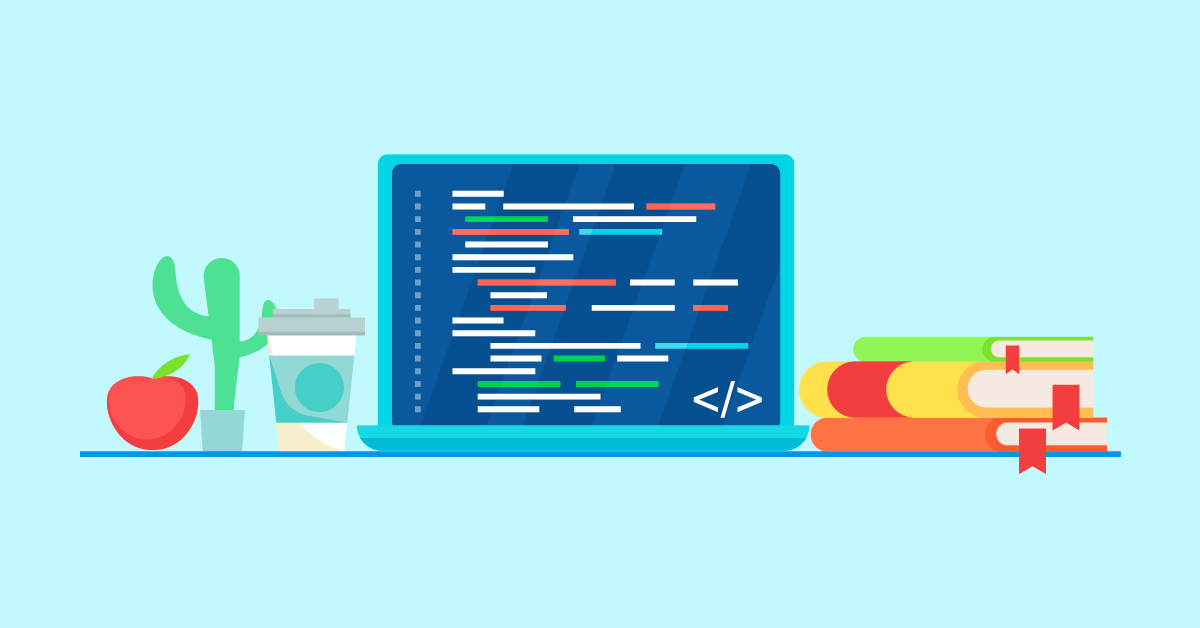
Whether you are building a website, drafting an email newsletter, or managing a blog, the tool you use to create content shapes the entire experience. A WYSIWYG editor — short for “What You See Is What You Get” — lets you design and format content visually, so the editing interface mirrors the final published result. Instead of writing raw HTML or CSS, you work with a live preview that updates in real time. For millions of content creators, marketers, and developers worldwide, this single capability has transformed how digital content gets made. But why exactly is a WYSIWYG editor so important, and how does it fit into the modern web development landscape? This guide breaks down the key reasons, backed by current industry data.
Table of Contents
What Is a WYSIWYG Editor and How Does It Work?
A WYSIWYG editor is a content editing tool that displays content during the editing process exactly as it will appear when published. The term was coined in the 1970s as graphical interfaces began replacing command-line text editing. Today, WYSIWYG editors are embedded in everything from content management systems like WordPress and Wix to email marketing platforms, e-commerce builders, and standalone web development tools.
Behind the scenes, a WYSIWYG editor translates your visual actions — such as bolding text, inserting an image, or adjusting a layout — into the corresponding HTML, CSS, and sometimes JavaScript. When you click “Bold,” the editor wraps your selected text in <strong> tags. When you drag an image into position, it generates the appropriate <img> markup. The key difference from a code editor is that you never need to see or touch that underlying code unless you choose to.
Here is a simple example. When you type and format a heading in a WYSIWYG editor, the tool automatically generates the corresponding HTML:
<h2>Welcome to My Website</h2>
<p>This paragraph was created <strong>visually</strong> using a WYSIWYG editor, without writing any code.</p>
You see the formatted heading and bold text on screen. The editor handles the markup. That is the core promise of WYSIWYG: what you see during editing is what your audience sees after publishing.
Why Is a WYSIWYG Editor Important?
The importance of a WYSIWYG editor goes far beyond convenience. It fundamentally changes who can create web content, how quickly they can do it, and the quality of the results. Below are the six main reasons these editors have become essential tools in modern web development and content creation.
It Makes Web Content Creation Accessible to Everyone
The most significant impact of a WYSIWYG editor is democratization. Before visual editors existed, creating a web page required knowledge of HTML at a minimum, plus CSS for styling and often JavaScript for interactivity. That technical barrier locked out the vast majority of people who needed to publish content online — marketers, small business owners, educators, bloggers, and nonprofit teams.
A visual editing tool removes that barrier entirely. With a drag-and-drop interface, anyone can create formatted web content without writing a single line of code. This accessibility is a major driver behind the growth of content management systems. According to W3Techs, approximately 70% of all active websites now use a CMS, with WordPress alone powering over 43% of websites on the internet as of 2025. These platforms rely heavily on WYSIWYG editing to make content management possible for non-developers.
It Dramatically Speeds Up Content Production
Even for experienced developers, hand-coding every page is time-consuming. A visual editor compresses the content creation cycle by eliminating the need to write, preview, debug, and rewrite code manually. You format text, insert media, and adjust layouts in one step — and see the result immediately.
This speed advantage is not marginal. Organizations using low-code and no-code platforms — which are built on WYSIWYG principles — report reducing application development time by up to 90%, according to Gartner research. For content teams working under tight deadlines, the difference between hand-coding a page in hours versus building it visually in minutes is the difference between publishing on time and missing the window entirely.
It Provides Real-Time Visual Feedback
One of the core frustrations of traditional coding is the constant switching between an editor and a browser preview. You write some HTML, save the file, refresh the browser, check the result, go back to the editor, make adjustments, and repeat. This loop is inefficient and error-prone.
A visual editor eliminates that cycle. Every change you make — adjusting font sizes, adding a table, embedding a video — is rendered instantly on screen. This real-time feedback loop means you catch layout issues, spacing problems, and formatting mistakes immediately, rather than discovering them after deployment. For anyone managing a blog or website, this responsiveness translates directly into higher-quality output.
It Reduces Coding Errors and Inconsistencies
Manual coding introduces opportunities for errors at every step: unclosed tags, mismatched CSS selectors, broken links, and inconsistent formatting across pages. These bugs can break layouts, harm SEO performance, and create accessibility issues.
A well-built visual editor generates clean, standards-compliant HTML automatically. It enforces consistent formatting rules, ensures proper tag nesting, and applies uniform styles across your content. While the generated code may not always be as lean as hand-crafted markup, modern editors like TinyMCE, CKEditor, and Froala produce significantly cleaner output than their predecessors. For teams publishing high volumes of content, this consistency is invaluable. If you want to review or clean up the HTML output, you can always use an HTML code editor or HTML beautifier to refine the markup.
It Enables Team Collaboration Across Skill Levels
In most organizations, the people who create content are not the same people who build the website. Marketers write blog posts, designers create layouts, and developers handle the technical infrastructure. This type of editor bridges these roles by providing a shared interface that everyone can use — regardless of their technical background.
Content writers can draft and format articles without waiting for a developer to implement changes. Designers can adjust visual elements directly. Developers retain access to the source code when they need it. Many modern visual editors also support real-time collaboration features, allowing multiple team members to work on the same document simultaneously — similar to Google Docs but within a web development context.
It Powers the CMS Platforms That Run the Web
WYSIWYG editing is not a niche feature — it is the foundation of the modern web. The global content management system market reached $30.91 billion in 2025 and is projected to grow to $45.71 billion by 2030, according to Business Research Insights. Every major CMS platform — WordPress, Wix, Squarespace, Shopify, Webflow — uses a WYSIWYG editor as its primary content creation interface.
WordPress, the most widely used CMS with a 61.3% share among CMS-powered sites, relies on its Gutenberg block editor — a WYSIWYG system that lets users build pages using drag-and-drop blocks. Wix, the fastest-growing CMS with 1,633% market growth over the past decade, is built entirely around a visual WYSIWYG builder. The dominance of these platforms demonstrates that visual editing is not just preferred — it is expected by the market.
WYSIWYG Editor vs. Code Editor: When to Use Each
Understanding when to use a WYSIWYG editor versus a code editor is important for choosing the right tool for your project. Both have strengths, and in many workflows, they complement each other. Here is a comparison:
| Feature | WYSIWYG Editor | Code Editor |
|---|---|---|
| Learning curve | Low — no coding knowledge required | High — requires HTML/CSS proficiency |
| Speed of content creation | Fast — format and publish visually | Slower — requires manual coding |
| Customization control | Limited to editor features and plugins | Full control over every element |
| Code quality | Clean but sometimes verbose | Lean and optimized when hand-crafted |
| Best for | Blog posts, landing pages, email content | Custom applications, complex layouts |
| Collaboration | Easy for mixed-skill teams | Requires technical team members |
| Error reduction | Automated tag handling reduces bugs | Manual — developer responsible for accuracy |
For most content creation tasks — blog posts, marketing pages, product descriptions, and email templates — a WYSIWYG editor is the more efficient choice. For custom web applications, complex interactive features, or performance-critical projects, a code editor gives you the granular control you need. Many professionals use both: they build content visually in a WYSIWYG editor, then switch to the HTML source view to fine-tune specific elements.
The Role of WYSIWYG Editors in the Low-Code and No-Code Movement
The rise of low-code and no-code development platforms is one of the most significant technology trends of the past decade, and WYSIWYG editing is at the heart of it. These platforms extend the visual editing philosophy beyond content creation into full application development, enabling users to build functional software through drag-and-drop interfaces rather than traditional programming.
The numbers behind this movement are striking. Gartner projects that 70% of new enterprise applications will use low-code or no-code technologies by 2026, up from less than 25% in 2020. The global low-code market has matured into a $45.5 billion industry as of 2025, growing at a 28.1% compound annual growth rate. Meanwhile, 80% of U.S. businesses are already using low-code tools for application development.
At its core, every low-code platform is a specialized WYSIWYG editor — one that generates application logic instead of just HTML. The same principle applies: users work visually, and the platform handles the underlying code. This connection explains why demand for WYSIWYG editing technology continues to accelerate. The WYSIWYG editor software market itself was valued at over $2 billion in 2024 and is expected to grow at a CAGR of approximately 7.8% through 2035, according to industry market reports.
Key Features of a Modern WYSIWYG Editor
Not all visual editing tools are created equal. The best modern editors go well beyond basic text formatting. Here are the features that define a high-quality WYSIWYG editor in 2025:
Rich text formatting — Bold, italic, headings, lists, blockquotes, and alignment controls with clean HTML output.
Drag-and-drop media handling — Insert images, videos, and embedded content by dragging files directly into the editor.
Responsive preview — See how content will appear on desktop, tablet, and mobile screens before publishing.
Source code access — Switch to HTML view to manually edit or clean up the generated markup when needed. You can also paste code into an online WYSIWYG HTML editor to see how it renders visually.
Plugin and extension support — Modular architectures that let developers add only the features they need, keeping the editor lightweight and fast.
AI-powered assistance — Modern editors are increasingly integrating artificial intelligence for tasks like content generation, grammar checking, image alt-text creation, and formatting suggestions.
Accessibility compliance — Built-in tools to check and enforce WCAG accessibility standards, ensuring content is usable by everyone.
Real-time collaboration — Multiple users can edit the same document simultaneously, with changes tracked and synced in real time.
Common Mistakes When Using a WYSIWYG Editor
While a visual editor simplifies content creation, there are pitfalls to avoid if you want professional results:
Ignoring the HTML output. Visual editors generate code behind the scenes, and sometimes that code includes unnecessary inline styles, empty tags, or redundant markup. Periodically reviewing and cleaning the source code — using a tool like an HTML beautifier — ensures your pages load faster and rank better in search engines.
Copy-pasting from Word or Google Docs. Pasting content from word processors often brings hidden formatting, inline styles, and non-standard tags that bloat your HTML. Always use the “Paste as Plain Text” feature or clean the code after pasting.
Over-relying on the editor for complex layouts. These tools work best for content-focused pages. For complex interactive layouts, custom animations, or performance-critical applications, you will get better results writing code directly in a dedicated HTML editor or using a CSS editor for precise styling control.
Neglecting mobile responsiveness. Just because content looks good in the editor does not mean it looks good on a phone screen. Always preview across device sizes before publishing.
Skipping accessibility checks. Visual editors can make it easy to forget about alt text for images, proper heading hierarchy, and color contrast. These elements affect both SEO and usability. Follow HTML best practices to keep your content accessible and standards-compliant.
How to Use a WYSIWYG Editor Effectively: A Quick Start Guide
Whether you are new to web content creation or looking to improve your workflow, here is a step-by-step approach to getting the most out of a WYSIWYG editor:
Step 1: Choose the right editor for your needs. If you are managing a WordPress site, the built-in Gutenberg editor or a plugin like Classic Editor may be sufficient. For standalone use, try an online WYSIWYG HTML editor that lets you create content directly in your browser without any installation.
Step 2: Structure your content with headings first. Before adding body text, set up your H2 and H3 headings to create a clear content hierarchy. This improves readability for users and helps search engines understand your page structure.
Step 3: Format visually, then review the code. Use the WYSIWYG interface to apply formatting, insert media, and build your layout. Once you are satisfied with the visual result, switch to the HTML source view to check for clean, semantic markup.
Step 4: Optimize media before inserting. Compress images and use appropriate file formats (WebP for photos, SVG for icons) before uploading. Large, unoptimized images are one of the most common causes of slow page loading.
Step 5: Preview across devices. Use the editor’s responsive preview mode — or open your page on a phone and tablet — to verify that your content displays correctly at all screen sizes.
Step 6: Clean and minify before deployment. For production sites, run your final HTML through an HTML minifier to reduce file size, and use a CSS minifier and JavaScript minifier for associated assets.
FAQ: WYSIWYG Editor
What does WYSIWYG stand for?
WYSIWYG stands for “What You See Is What You Get.” It means the content you see on screen while editing matches the final published output. The term originated in the 1970s and became widespread with the rise of graphical user interfaces in personal computing.
Is WordPress a WYSIWYG editor?
WordPress is a content management system (CMS) that includes a built-in WYSIWYG editor called Gutenberg. The Gutenberg block editor allows users to create pages and posts visually using drag-and-drop blocks, making it one of the most widely used WYSIWYG editing interfaces in the world.
Can I use a WYSIWYG editor without any coding knowledge?
Yes. That is the primary purpose of a visual content editor. You create and format content through a visual interface — clicking buttons, dragging elements, and selecting options from menus — without needing to write or understand HTML, CSS, or JavaScript. However, having basic HTML knowledge can help you troubleshoot and refine output when needed.
What is the difference between a WYSIWYG editor and an HTML editor?
A WYSIWYG editor lets you edit content visually, showing the formatted result in real time. An HTML editor requires you to write and edit raw HTML code directly. Many tools offer both modes — a visual editing interface and a source code view — so you can switch between them depending on the task.
Are WYSIWYG editors good for SEO?
Modern WYSIWYG editors can produce SEO-friendly content when used correctly. They make it easy to add proper heading structures, alt text for images, meta descriptions, and internal links. The key is to choose an editor that generates clean, semantic HTML and to review the source code periodically for bloat or unnecessary markup that could slow page load times.
What are the best free WYSIWYG editors available online?
Several high-quality options are available for free. The open-source choices include TinyMCE (community edition), CKEditor (open-source version), and Quill. For quick, no-installation editing, you can use a free online WYSIWYG HTML editor directly in your browser to create, format, and export content.
Do professional developers use WYSIWYG editors?
Yes. While professional developers often prefer code editors for complex projects, many use visual editors for rapid prototyping, content creation, and client-facing CMS work. According to industry surveys, 87% of enterprise developers use low-code platforms — which are built on WYSIWYG principles — for at least some of their development work.
Can WYSIWYG editors handle CSS and JavaScript?
Most visual content editors focus primarily on HTML content creation. However, many allow you to add custom CSS classes and inline styles through the interface. For dedicated CSS work, a specialized CSS editor is more appropriate. Similarly, JavaScript editing is typically handled in a separate code editor, though some advanced WYSIWYG platforms support embedding scripts.
Start Creating Content Visually with a WYSIWYG Editor
The importance of a WYSIWYG editor comes down to a simple reality: it lets more people create better content, faster. By removing the technical barrier of hand-coding, these editors have democratized web publishing and fueled the growth of the CMS industry, the low-code movement, and the broader creator economy. Whether you are a blogger publishing your first post, a marketing team managing dozens of landing pages, or a developer building client websites, a WYSIWYG editor streamlines the process and helps you focus on what matters — the content itself.
Ready to try it yourself? Open our free online WYSIWYG HTML editor and start building content visually — no installation, no signup, and no coding required.
Related reading:
- What is WYSIWYG?
- HTML Editors: A Comprehensive Guide
- Experience the Power of Visual Editing with Our Online WYSIWYG HTML Editor
- Design Your Blog Easily: The Best Online HTML Editors To Use
- The Importance of CSS in Web Development: Using an Online CSS Editor
Sources: W3Techs — CMS Usage Statistics (2025); Themeisle — CMS Market Share (April 2025); Search Engine Journal — CMS Market Share Trends (October 2025); WiseGuyReports — WYSIWYG Editor Software Market (2025); Business Research Insights — CMS Market Size (2025); Gartner — Low-Code Development Technologies Forecast (2025); Jitterbit — Low-Code/No-Code Market Analysis (2025); Forrester — Enterprise Developer Survey (2023).
Comments