With over 600 million blogs worldwide and more than 7.5 million new posts published every day, standing out online starts with how your blog looks and functions. Whether you are launching a personal blog or building a professional content hub, an online HTML editor is one of the most practical tools for designing, formatting, and refining your blog content without installing software or mastering complex code. This guide walks you through everything you need to know about using an online HTML editor to design your blog, from choosing the right editing approach to writing clean, well-structured HTML that performs well in search engines and looks great on every device.
Table of Contents
Why Blog Design Matters More Than Ever
Blogging remains one of the most effective content marketing strategies available. According to data from Wix and Tech Business News (2025), there are approximately 600 million blogs worldwide, representing roughly 31.6% of all websites. Businesses that maintain a blog see a 55% increase in website traffic, and marketers who prioritize blogging are 13 times more likely to achieve a positive ROI, according to OptinMonster (2025).
However, publishing great content is only half the equation. Research from DemandSage (2025) shows that more than 50% of blog readers will stop reading if they encounter layout issues, slow loading, or a cluttered design. First impressions are formed in seconds, and blog design directly influences whether a visitor stays or bounces. A clean, well-structured blog built with properly formatted HTML improves readability, strengthens trust, and helps search engines understand your content.
This is exactly where an online HTML editor becomes essential. It gives you direct control over your blog’s structure and appearance, whether you are formatting a single post or building an entire page layout from scratch.
What Is an Online HTML Editor?
An online HTML editor is a browser-based tool that allows you to write, edit, and preview HTML code without downloading or installing any desktop software. These editors run directly in your web browser and typically provide a split-screen interface: one side for writing code and the other for a live preview of the rendered output.
HTML, or HyperText Markup Language, is the foundational coding language of the web. It defines the structure of every web page you visit, from headings and paragraphs to links, images, tables, and forms. When you write a blog post, the underlying content is built with HTML tags that tell the browser how to display your text and media.
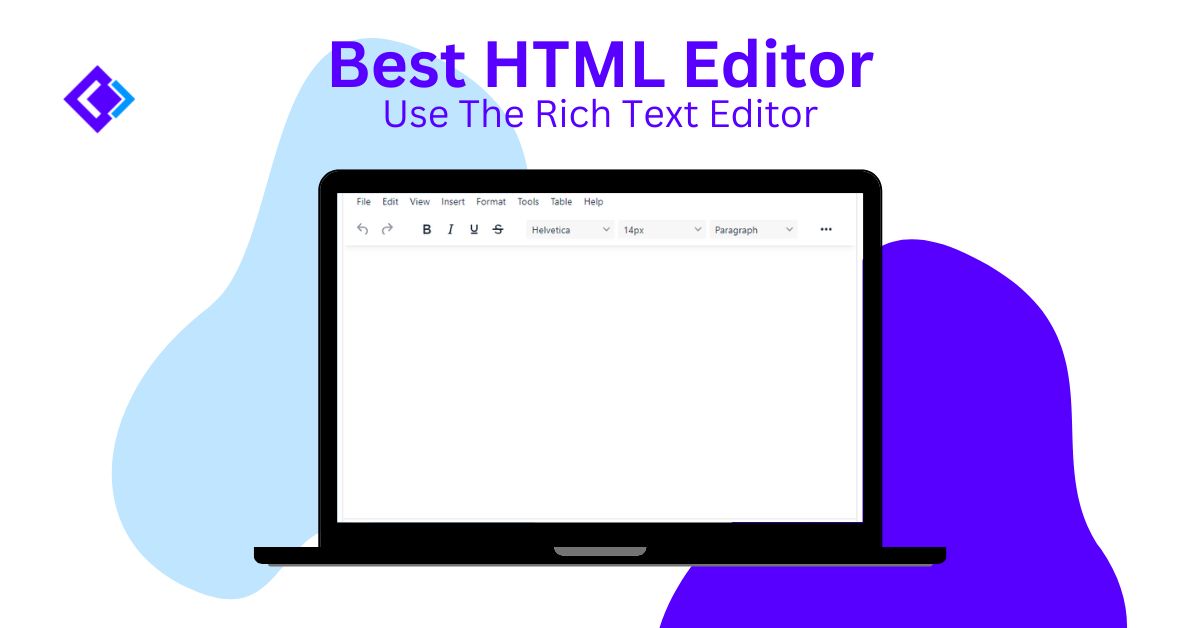
Using an online HTML editor means you can work on your blog’s HTML from any device with an internet connection. This is especially useful for bloggers and content creators who work across multiple devices or need to make quick edits on the go. Our WYSIWYG HTML Editor at html-editor-online.com, for example, provides a full-featured editing environment with both visual and source code modes, making it accessible for beginners and experienced developers alike.
WYSIWYG vs. Code-Based HTML Editors: Which One Should You Use?
When selecting an online HTML editor for blog design, you will typically encounter two main types: WYSIWYG editors and code-based editors. Understanding the difference helps you choose the approach that fits your skill level and workflow.
What Is WYSIWYG Editing?
WYSIWYG stands for “What You See Is What You Get.” A WYSIWYG editor lets you format content visually, much like using Microsoft Word or Google Docs. You can bold text, insert images, create lists, and adjust layouts by clicking buttons and dragging elements. The editor generates the corresponding HTML code behind the scenes. This approach is ideal for bloggers who want to focus on content creation without writing code manually.
What Is Code-Based Editing?
A code-based HTML code editor provides a text editing environment where you write HTML tags directly. This gives you complete control over every element on the page, including attributes, classes, and custom styling. Code-based editing is preferred by developers and intermediate users who want clean, precise output without the extra markup that some WYSIWYG editors tend to generate.
Side-by-Side Comparison
| Feature | WYSIWYG Editor | Code-Based Editor |
|---|---|---|
| Skill Level Required | Beginner-friendly | Requires HTML knowledge |
| Speed of Content Creation | Fast for simple formatting | Slower but more precise |
| Code Quality | May produce extra markup | Clean, minimal code |
| Customization | Limited to editor features | Full control over every element |
| Best For | Bloggers, content writers | Developers, advanced users |
| Live Preview | Built-in visual preview | Requires separate preview panel |
The best approach for most bloggers is to use an editor that offers both modes. Our online HTML editor lets you switch between visual editing and source code view, so you can design content visually and then fine-tune the HTML for cleaner output. To understand why WYSIWYG editing is important for content creation, it comes down to efficiency: you see the result as you work, reducing errors and speeding up your workflow.
Key Features to Look for in an Online HTML Editor
Not all online HTML editors are created equal. When choosing a tool for blog design, look for these essential features:
Live Preview
A real-time preview panel lets you see how your HTML renders as you type. This eliminates the guesswork of writing code and refreshing a browser to check results. It is one of the most valuable features for bloggers who want fast feedback on their formatting decisions.
Syntax Highlighting and Code Formatting
Syntax highlighting uses color coding to distinguish HTML tags, attributes, and values, making your code much easier to read and debug. Paired with an HTML beautifier, you can automatically indent and format messy code into a readable structure.
Clean Code Output
Some editors add unnecessary inline styles, empty tags, or proprietary markup. A quality online HTML editor produces clean, standards-compliant code. You can also use an HTML minifier to compress your code for faster page loading once your design is finalized.
Support for CSS and JavaScript
Blog design often involves more than just HTML. Look for an editor that also supports CSS editing for styling and JavaScript editing for interactivity. Having all three languages available in one environment streamlines your workflow significantly.
No Installation Required
The primary advantage of a browser-based editor is accessibility. You should be able to start editing immediately without installing software, creating accounts, or downloading plugins. This is particularly useful when working from shared computers, tablets, or devices where you cannot install desktop applications.
How to Design Your Blog Using an Online HTML Editor
Here is a practical, step-by-step workflow for designing your blog content using an online HTML editor:
Step 1: Plan Your Content Structure
Before you write any code, outline your blog post’s structure. Identify your main heading (H1), section headings (H2), and subsection headings (H3). Plan where your images, lists, and call-to-action elements will go. A clear content hierarchy improves both user experience and SEO performance.
Step 2: Set Up Your Basic HTML Structure
Open your online HTML editor and start with a basic HTML structure. If you are editing a blog post for WordPress or another CMS, you typically only need the body content, not the full page structure. Here is a minimal starting template for a blog post section:
<article>
  <h1>Your Blog Post Title</h1>
  <p>Your opening paragraph goes here. Hook the reader and introduce the topic.</p>

  <h2>First Main Section</h2>
  <p>Explain your first key point with supporting details.</p>

  <h3>A Subsection Within the First Section</h3>
  <p>Provide more specific information, examples, or instructions.</p>

  <h2>Second Main Section</h2>
  <p>Continue building your content with a logical flow.</p>
</article>
Step 3: Add Formatting and Media
Use HTML tags to enhance your content with bold text (<strong>), italic emphasis (<em>), links (<a>), images (<img>), and lists (<ul> or <ol>). If you are using a WYSIWYG HTML editor for blogs, you can apply these formatting options by clicking toolbar buttons, and the editor will generate the correct HTML automatically.
Step 4: Style Your Content with CSS
While HTML provides structure, CSS controls the visual presentation. You can define fonts, colors, spacing, and responsive layouts. If your blogging platform has a built-in theme, your CSS may already be handled, but knowing how to add custom styles through an online CSS editor gives you more design flexibility. Understanding the importance of CSS in web development helps you make more intentional design choices.
Step 5: Preview, Clean Up, and Publish
Use the live preview to check your blog post across different viewport sizes. Clean up your HTML by removing empty tags, redundant styles, or unnecessary whitespace. Run your code through an HTML beautifier for readability, or through an HTML minifier to reduce file size before publishing. Once satisfied, copy the code into your blogging platform’s HTML editor view and publish.
Essential HTML Basics Every Blogger Should Know
Even if you primarily use a WYSIWYG editor, understanding fundamental HTML tags gives you more control over your blog’s appearance and helps you troubleshoot common formatting issues. The MDN Web Docs HTML guide from Mozilla is an excellent reference if you want to go deeper. Here are the tags used most frequently in blog design HTML:
| HTML Tag | Purpose | Example |
|---|---|---|
<h1> to <h6> | Headings (H1 is the main title, H2–H6 for subsections) | <h2>My Section Title</h2> |
<p> | Paragraph text | <p>This is a paragraph.</p> |
<a> | Hyperlinks to other pages or resources | <a href="URL">Link Text</a> |
<img> | Images | <img src="photo.jpg" alt="Description"> |
<ul> / <ol> | Unordered (bullet) and ordered (numbered) lists | <ul><li>Item</li></ul> |
<strong> | Bold text for emphasis | <strong>Important</strong> |
<em> | Italic text for emphasis | <em>Emphasized text</em> |
<blockquote> | Quoted text from another source | <blockquote>Quote here</blockquote> |
<table> | Data tables for comparisons or structured information | <table><tr><td>Data</td></tr></table> |
If you want to deepen your HTML knowledge and avoid common pitfalls, our guide on 10 things to avoid when coding in HTML covers the most frequent mistakes bloggers make and how to fix them.
Choosing the Right Blogging Platform for Your HTML Content
Your choice of blogging platform determines how much control you have over HTML and design customization. Here is how the most popular platforms compare:
| Platform | HTML Access | Best For | Market Share (2025) |
|---|---|---|---|
| WordPress.org (self-hosted) | Full HTML, CSS, PHP access | Full control, scalability, SEO | 43.4% of all websites (W3Techs, 2025) |
| WordPress.com (hosted) | HTML access on paid plans | Beginners wanting WordPress without hosting management | Included in WordPress total |
| Medium | Very limited HTML control | Writers focused on content, not design | N/A |
| Squarespace | Custom code blocks available | Design-focused bloggers, portfolios | ~2.3% CMS market |
| Wix | Limited HTML through Velo | Small businesses, beginners | ~3.7% of all websites |
| Ghost | Full HTML and theme editing | Professional publishers, newsletters | <1% CMS market |
WordPress dominates the CMS market with a 62.8% share among websites that use a known content management system, according to W3Techs (2025). For bloggers who want to use a free HTML editor online to craft their content and then paste it into their platform, WordPress.org offers the most flexibility. Its block editor supports custom HTML blocks, and you can switch to the code editor view to paste in any HTML you have prepared in an external HTML code editor.
Regardless of which platform you choose, preparing your blog content in an online HTML editor first gives you a clean, controlled environment to perfect your formatting before publishing.
Common Blog Design Mistakes and How to Avoid Them
Even experienced bloggers make formatting and design errors that hurt readability and SEO performance. Here are the most common mistakes and how to fix them:
Skipping Heading Hierarchy
Jumping from an H1 directly to an H4, or using headings purely for visual sizing, confuses both readers and search engines. Always follow a logical heading order: H1 for the title, H2 for main sections, and H3 for subsections within those sections.
Overusing Inline Styles Instead of CSS
Adding style="" attributes directly to HTML elements creates bloated, hard-to-maintain code. Instead, define styles in a CSS file or a <style> block. This keeps your HTML clean and makes design updates much easier.
Forgetting Alt Text on Images
Every <img> tag should include a descriptive alt attribute. Alt text improves accessibility for screen reader users, provides context when images fail to load, and contributes to your image SEO.
Not Testing on Mobile Devices
With mobile traffic accounting for over half of all web browsing, testing your blog layout on smaller screens is essential. Use your editor’s preview mode or browser developer tools to check how your design adapts to different screen sizes.
Neglecting Page Speed
Heavy images, unminified code, and excessive external scripts slow your blog down. Optimize images before uploading, use an HTML minifier to reduce code size, and minimize the number of external scripts your page loads. You can test your blog’s performance using Google PageSpeed Insights.
FAQ: Online HTML Editors and Blog Design
What is the best online HTML editor for beginners?
The best option for beginners is an editor that offers both a WYSIWYG visual mode and a source code view, so you can start with visual editing and gradually learn HTML. The html-editor-online.com editor provides exactly this, with an interface similar to a word processor and the ability to switch to full HTML editing at any time.
Do I need to know HTML to start a blog?
No. Many blogging platforms like WordPress, Squarespace, and Wix provide visual editors that handle the HTML for you. However, knowing basic HTML gives you significantly more control over your blog’s formatting, troubleshooting, and design. Even a foundational understanding of tags like <p>, <h2>, <a>, and <img> can help you resolve common formatting issues quickly.
Can I use an online HTML editor to create content for WordPress?
Yes. You can write and format your blog post content in an online HTML editor, then copy the HTML code directly into WordPress using the “Custom HTML” block or by switching to the code editor view. This workflow gives you a clean editing environment and avoids the formatting quirks that sometimes occur in WordPress’s built-in editor.
Is a WYSIWYG editor or a code editor better for blog design?
It depends on your skill level and goals. A WYSIWYG editor is faster for content creation and requires no coding knowledge. A code editor gives you precise control over every element. For most bloggers, the ideal solution is an editor that supports both modes, allowing you to design visually and refine the code as needed.
What is the difference between HTML and CSS in blog design?
HTML defines the structure and content of your blog, including headings, paragraphs, images, and links. CSS controls the visual presentation, including colors, fonts, spacing, and layout behavior across different screen sizes. Both work together: HTML is the skeleton of your blog, and CSS is the skin. You can edit both using our HTML editor and CSS editor.
How do I make my blog mobile-friendly using HTML?
Start by including the viewport meta tag in your page’s <head> section: <meta name="viewport" content="width=device-width, initial-scale=1.0">. Then use CSS media queries to adjust your layout for smaller screens. Avoid fixed-width elements and use percentage-based or flexible units instead. Most modern blogging platforms handle responsive design through their themes, but understanding these fundamentals helps you troubleshoot and customize effectively.
Are free online HTML editors safe to use?
Reputable free HTML editors online like html-editor-online.com process your code locally in the browser and do not store your content on external servers. However, you should avoid unknown editors that ask for account registration to edit code, or that inject third-party scripts into your output. Always review the generated code before publishing it to your blog.
How does clean HTML affect my blog’s SEO?
Search engines crawl your blog’s HTML to understand its content and structure. Clean, semantic HTML with proper heading hierarchy, descriptive alt text, and well-structured links helps search engine crawlers index your pages more effectively. According to Backlinko (2026), businesses with blogs have 434% more pages indexed by search engines, and proper HTML structure is a foundational factor in that visibility.
Start Designing Your Blog with the Right Tools
Designing a blog that looks professional, loads quickly, and ranks well in search results comes down to using well-structured HTML and choosing the right tools for your workflow. An online HTML editor gives you a flexible, accessible environment to write and refine your content from anywhere, whether you are a beginner using visual editing or a developer writing code from scratch.
Start by exploring our WYSIWYG HTML Editor to experience both visual and source code editing in one tool. If you want to go deeper into the tools available for web development, our comprehensive guide to HTML editors covers a wide range of options, and our guide on visual editing with a WYSIWYG HTML editor walks you through the full editing experience step by step.
The right editor will not just save you time; it will help you build a blog that readers trust and search engines reward.
Related reading:
- HTML Editor: The Search is Over
- HTML Editors: A Comprehensive Guide
- What is WYSIWYG?
- 10 Things To Avoid When Coding In HTML
- The Importance of CSS in Web Development: Using an Online CSS Editor
Sources: Wix Blogging Statistics (Dec 2025), Tech Business News (2025), OptinMonster Blogging Statistics (Dec 2025), DemandSage Blogging Statistics (Jan 2025), W3Techs CMS Market Share (April 2025), Backlinko Blogging Stats (Jan 2026), Orbit Media Annual Bloggers Survey (2024), Themeisle WordPress Market Share (April 2025).

Comments